UX Audit
Before making any design changes, I took time to fully understand what already existed. This meant reviewing the current site, identifying what was working, what wasn’t, and why it had been set up that way.
I also focused on gaining a clear understanding of the business, its services, and any technical or operational constraints.
Homepage Breakdown & User Flow
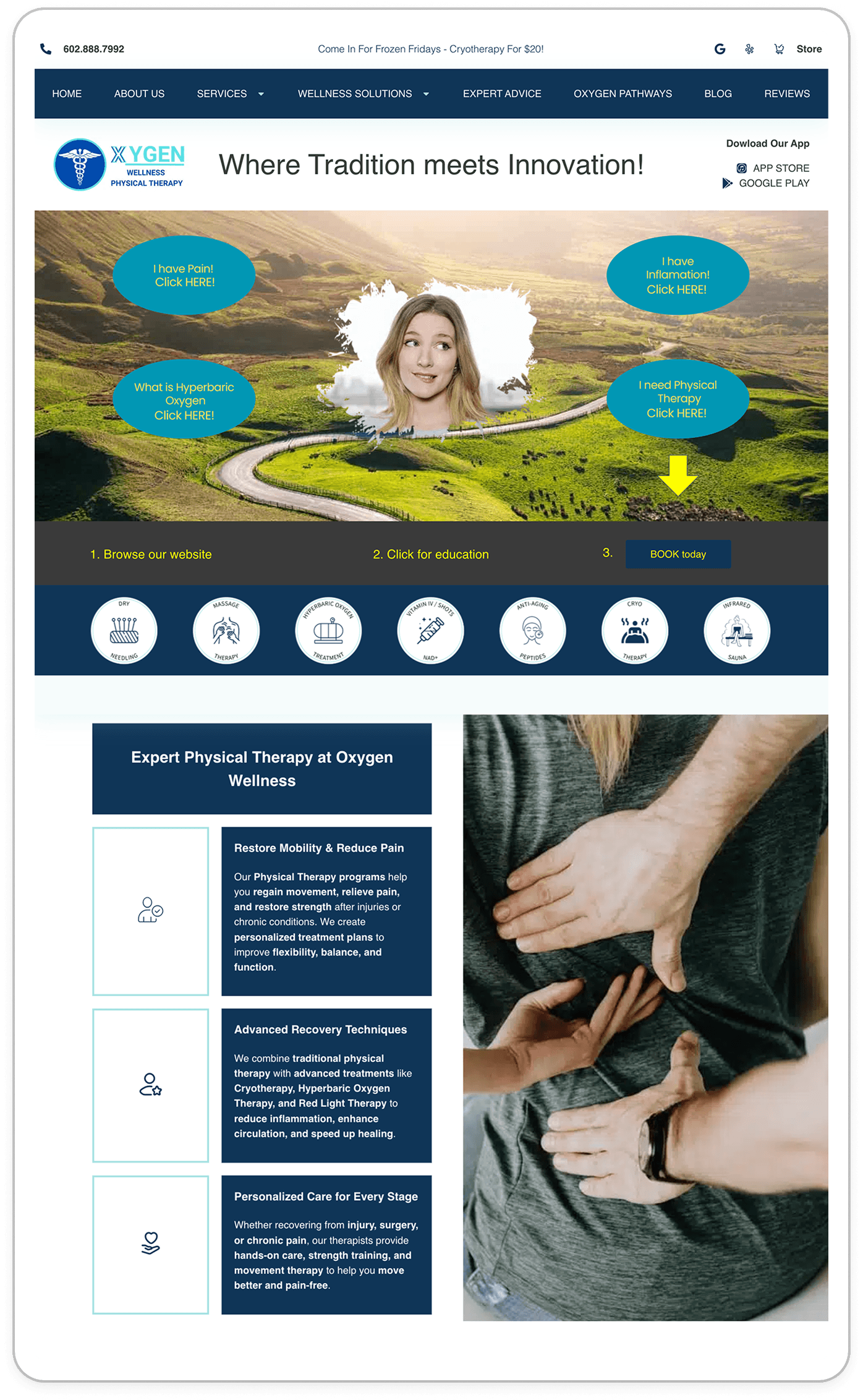
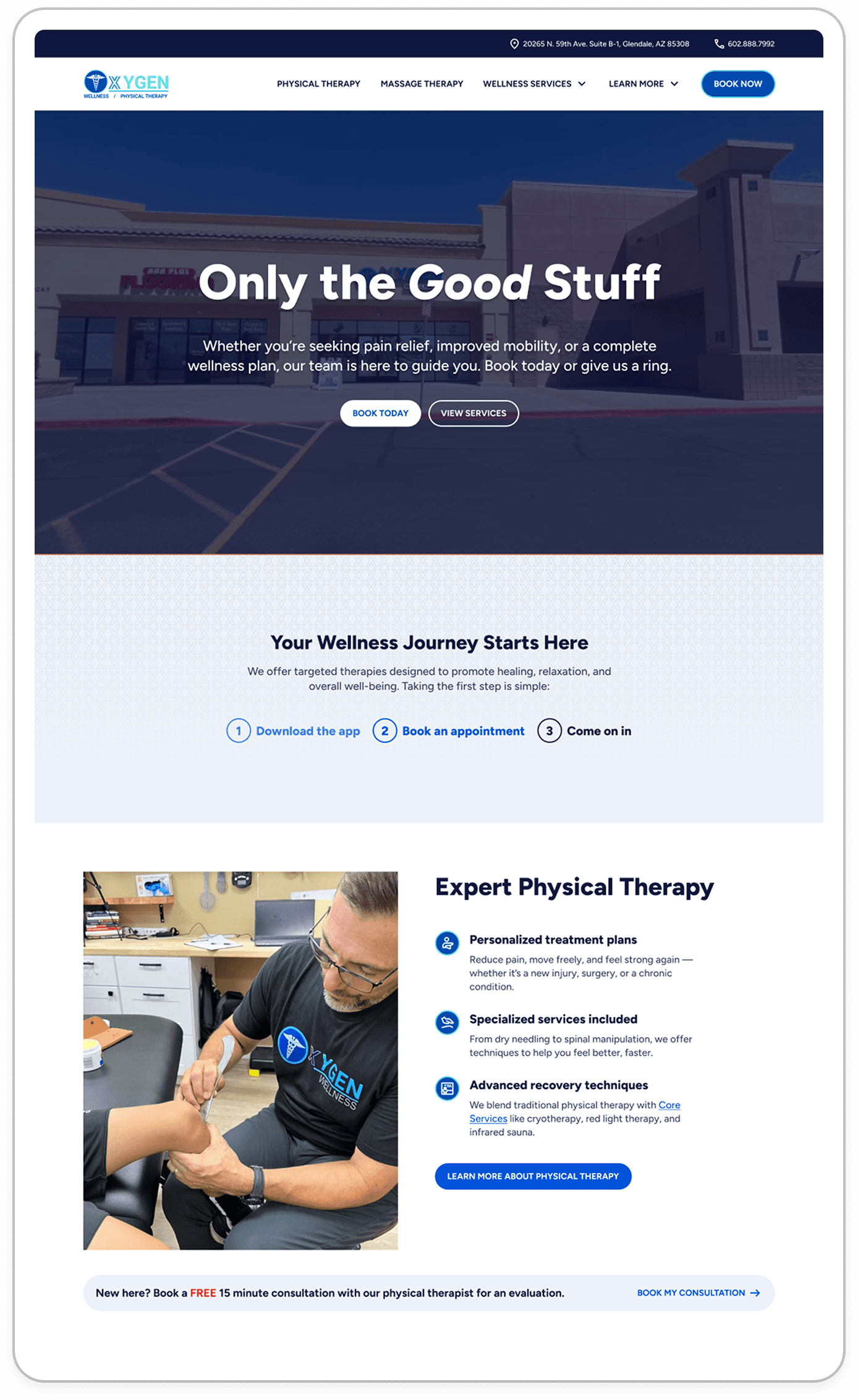
I started by closely reviewing the existing homepage, annotating key areas to identify what was and wasn’t working.
I especially wanted to understand Clint’s original vision for the site — what he was trying to communicate. Rather than replacing his ideas entirely, my goal was to refine and elevate them.
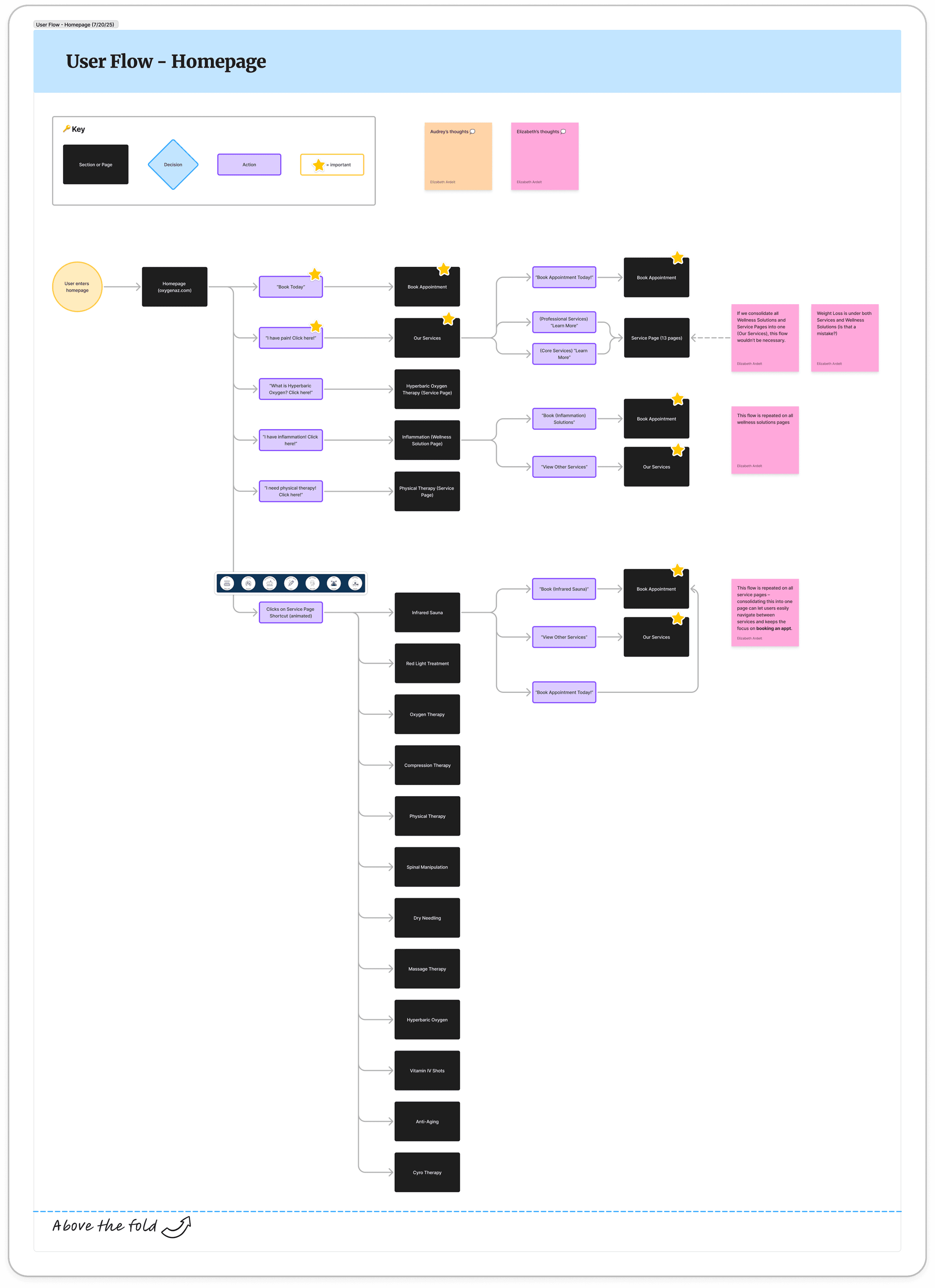
Since the homepage acts as the main entry point to the rest of the site, I also mapped out a user flow to understand how users were being guided through content and services. This helped evaluate whether the structure was prioritizing the right paths for potential clients, and later served as a reference when comparing the before and after experience. It also surfaced smaller details, raised questions about the business, and highlighted opportunities for improvement early on.
Sitemap & Information Architecture
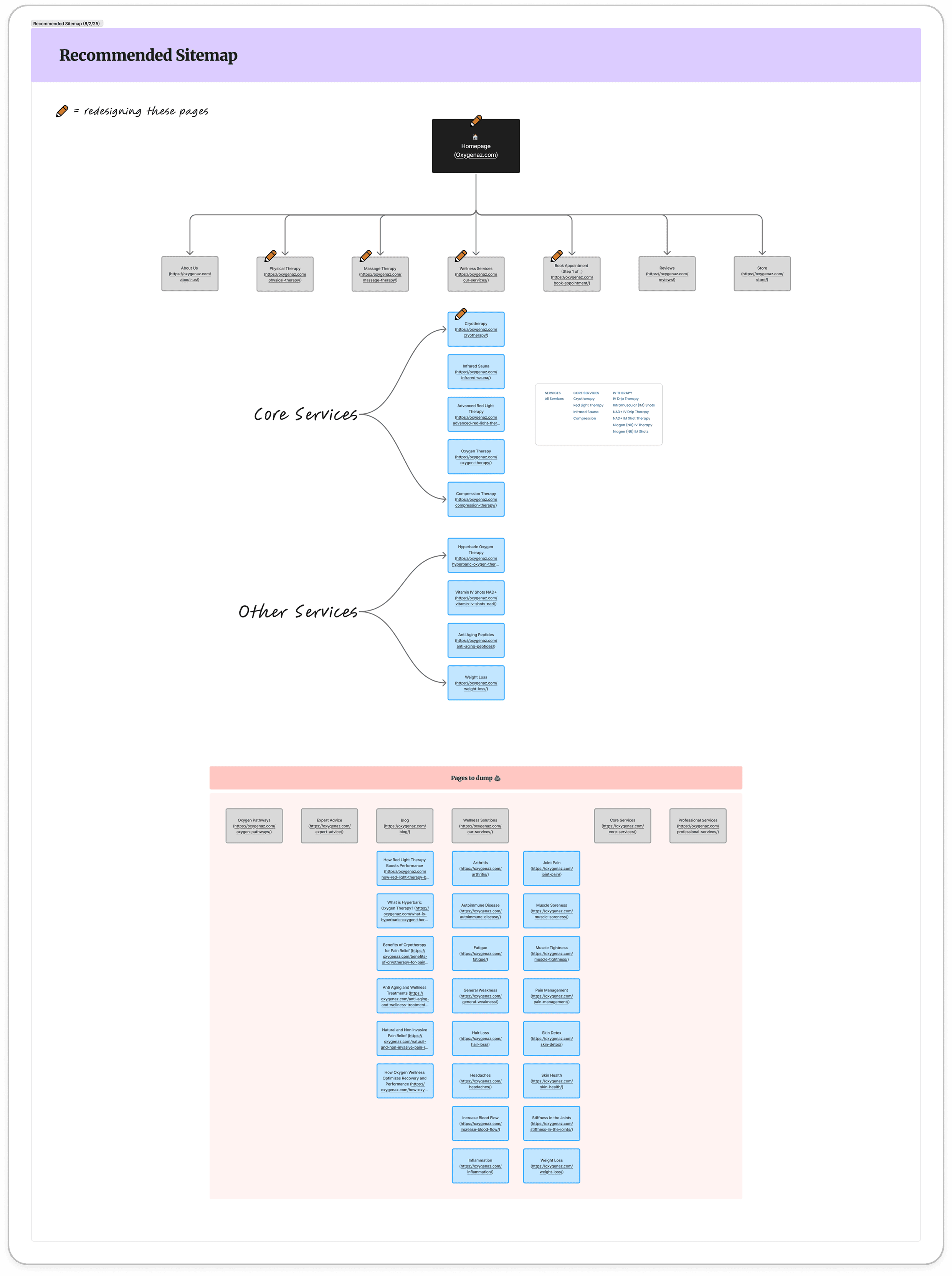
After reviewing the homepage, I mapped out the full site structure to understand at a glance how all pages connected. This helped identify opportunities to simplify the experience — highlighting redundant pages, gaps in content, and areas where the structure could be improved. While exploring potential changes, I also considered SEO impact to ensure valuable content wasn’t lost.
Creating a sitemap made it easier for both myself and Clint to view the website as a whole and make more informed decisions about what should stay, be refined, or be removed.
Accessability Issues
As part of the audit, I made sure to evaluate not just visual issues, but overall accessibility and usability.
Key findings included:
Links did not clearly communicate their destination
Navigation structure was overly complex and difficult to move through
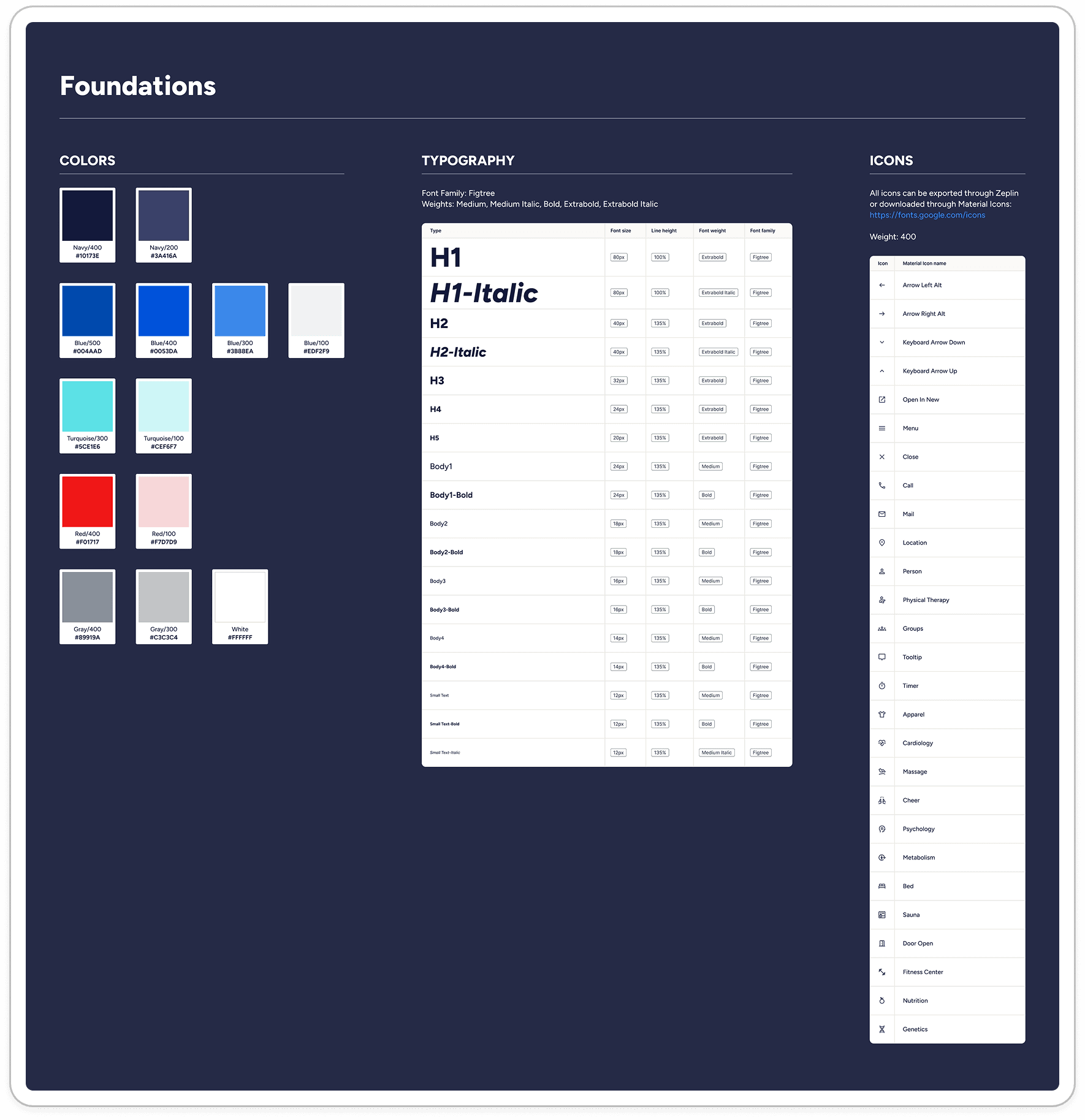
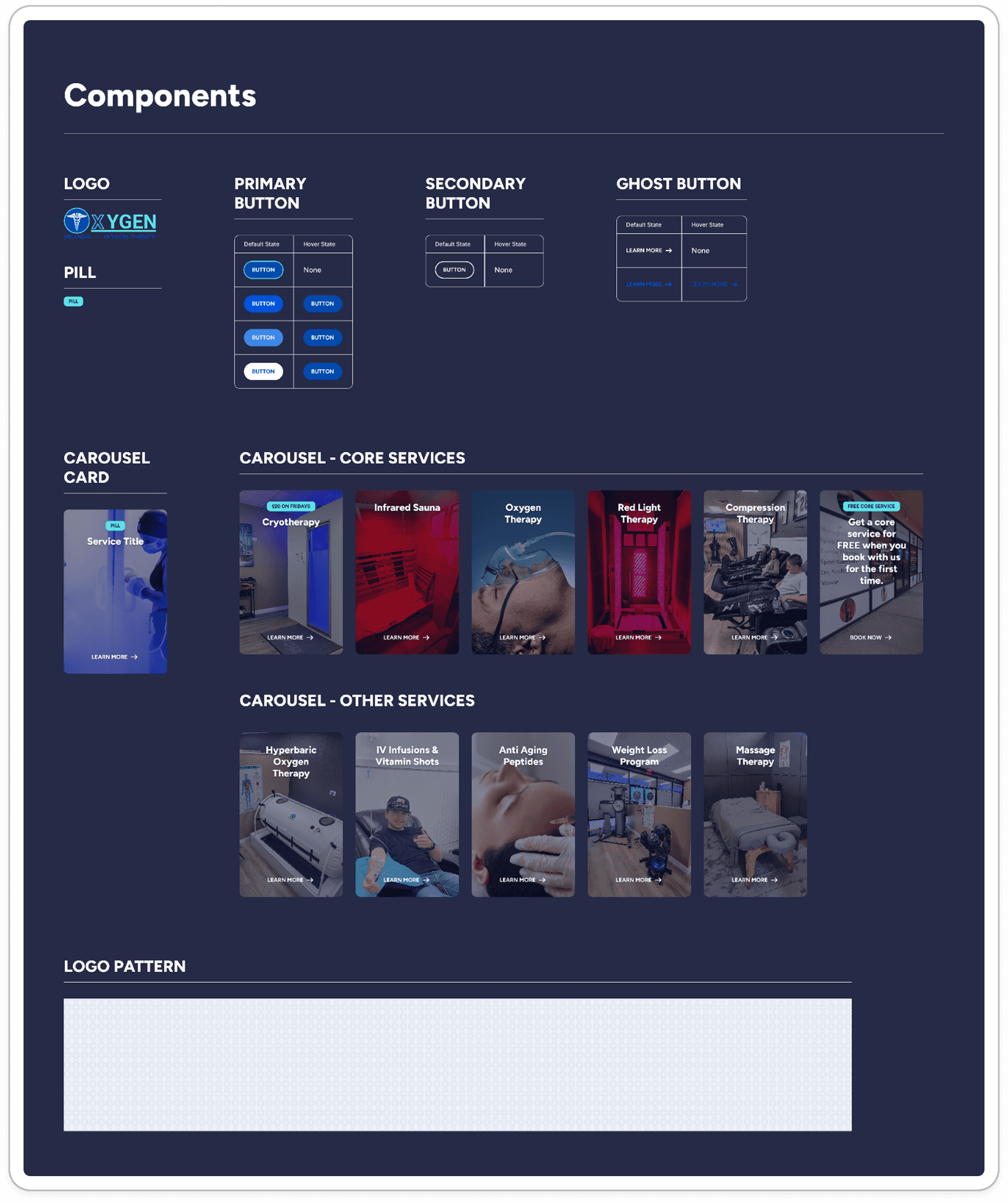
Interactive elements were inconsistent, making it unclear what was clickable (no defined design system)
Use of vague language such as “click here”
Missing or ineffective alt text on images
Color contrast generally passed, with the exception of yellow on teal
📝 Recap
After compiling notes and annotations, I created a concise summary of key findings and shared it with Clint for feedback. This collaborative review helped validate observations, clarify open questions, and align on priorities before advancing into the next phase.
Key takeaways included:
Excessive and repetitive content across multiple pages
Too many competing CTAs on the homepage
Messaging that was often unclear or difficult to understand
Lack of clarity around what the site offers at first glance
High-resolution imagery impacting load time without adding meaningful value
Inconsistent visual design and lack of established UI patterns
Global components (FAQ, Newsletter, Social) contributing to content overload across pages
Content Audit
Recommended Site Map
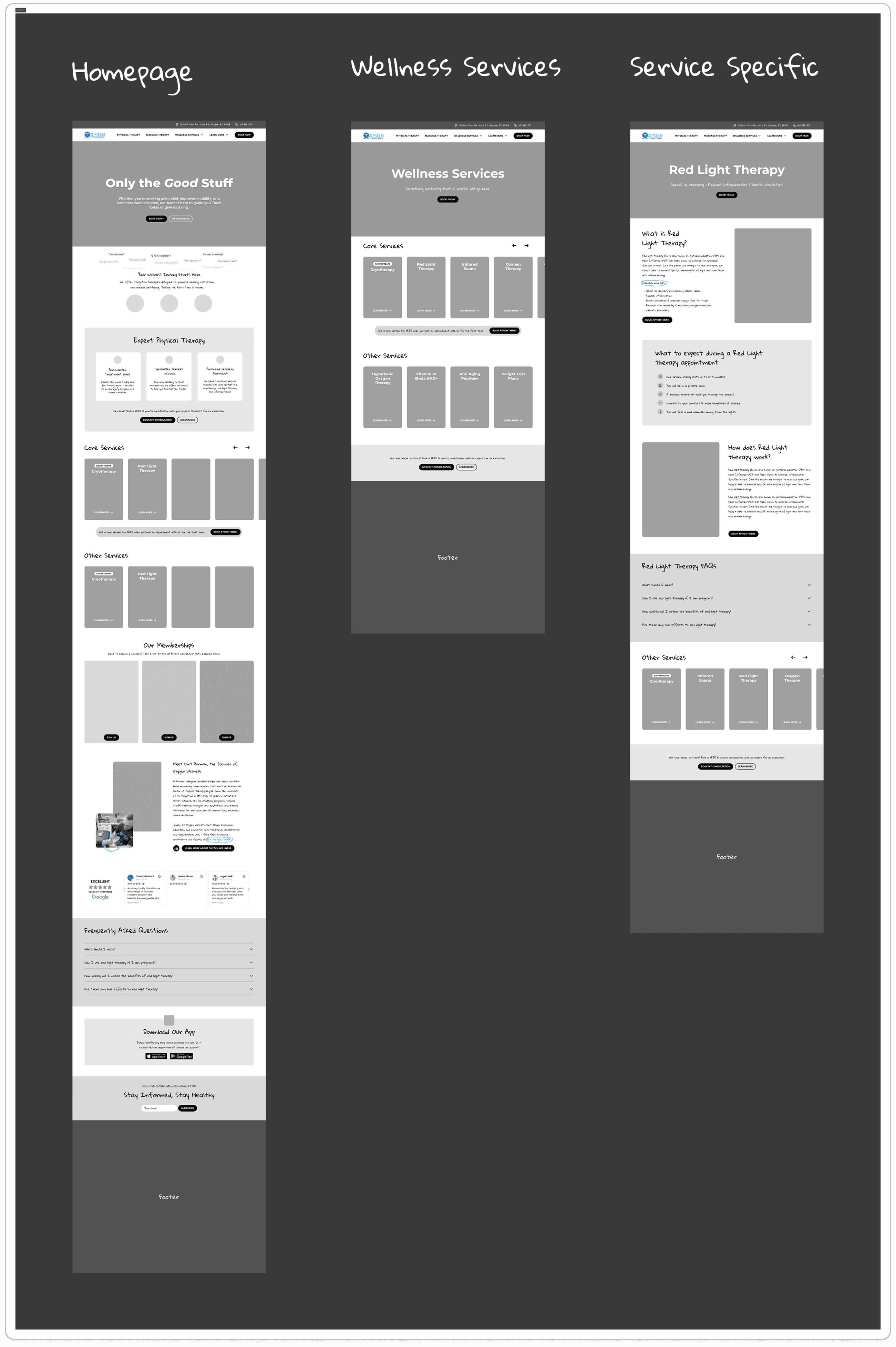
As part of the content audit, I created a refined version of the existing sitemap to clarify scope. Before moving into low-fidelity wireframes, this helped prioritize key pages and simplify the overall structure.
My goal was to create flexible, reusable templates, making the redesign more efficient for development. This would also make the site easier to maintain over time, even without ongoing design support.
Accessabilty & SEO
Me and another designer collaborated together on identifying any pain points related to accessability, SEO, and overall organization of content. While accesssability was an issue, SEO was in a good place (top keywords were being used throughout the site – even overly used). We both made note that if we are going to do a content refresh, we should make sure to still include SEO keywords.
Photography
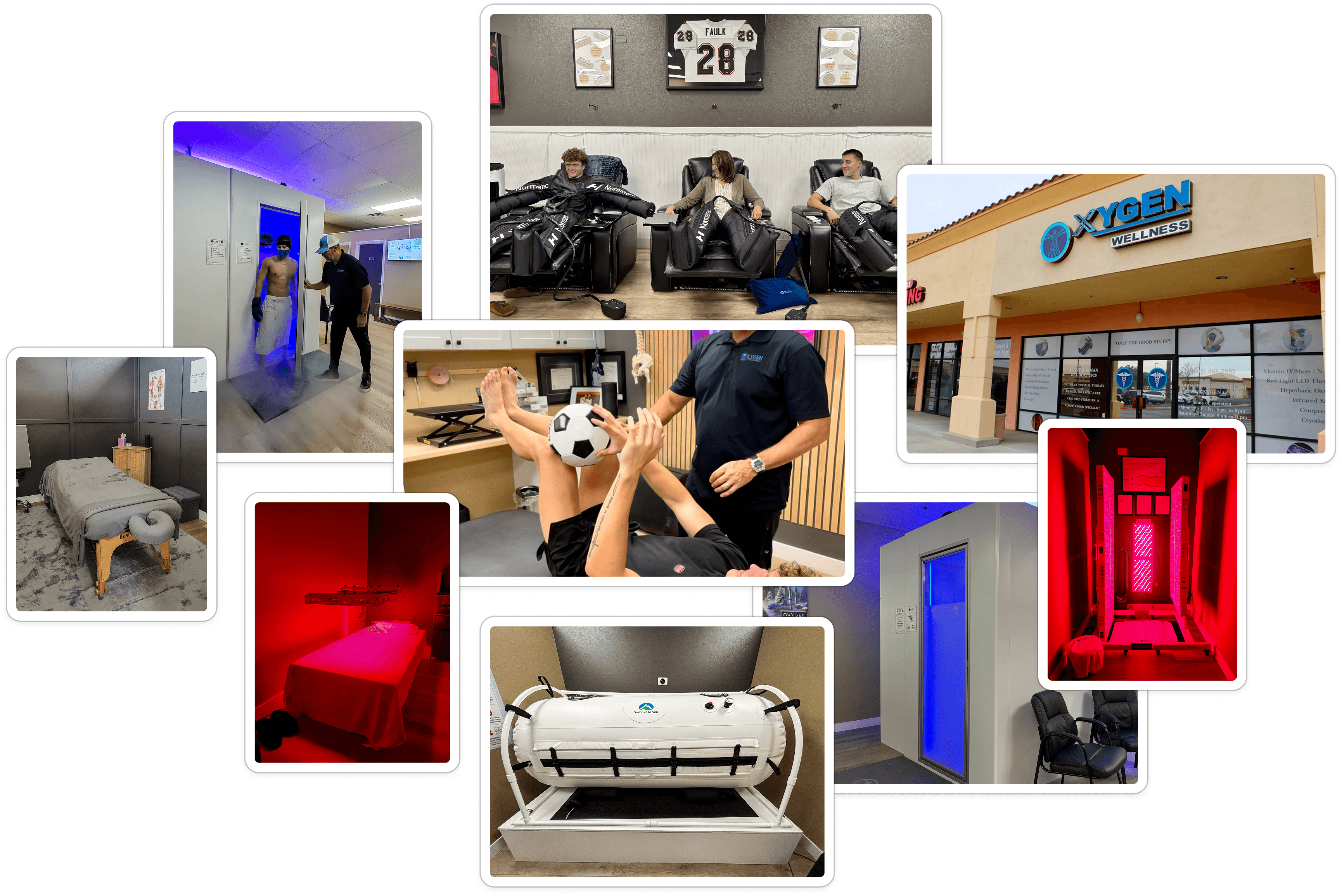
A big problem on this website was actually the photography. I knew this would be a driving force. As a client myself, I knew the first thing many people would wonder when coming across this website is: what does the place LOOK like? What can I expect if I check out cryotherapy? What are the vibes? What are people wearing? What does the physical therapist look like?
While this broadened the original scope, me and another designer decided to use our photography skills to use to take custom pictures and videos to represent the actual place. I felt the use of stock imagery wasn't necessary and diminished the legitimacy of the place.
 rotate(-45 7 7)" width="14px"><path d="M 0 0.068 L 12.725 0" fill="transparent" height="1px" id="nWTC0FqqR" stroke-dasharray="" stroke-linecap="round" stroke-linejoin="round" stroke-width="2" stroke="rgb(248, 246, 243)" transform="translate(0 6.932)" width="12.725033351867122px"/><path d="M 0 0 L 7 7 L 0 14" fill="transparent" height="13.999959999999998px" id="f9BjJxgMG" stroke-dasharray="" stroke-linecap="round" stroke-linejoin="round" stroke-width="2" stroke="rgb(248, 246, 243)" transform="translate(7 0)" width="7px"/></g></svg>)