Save Cars
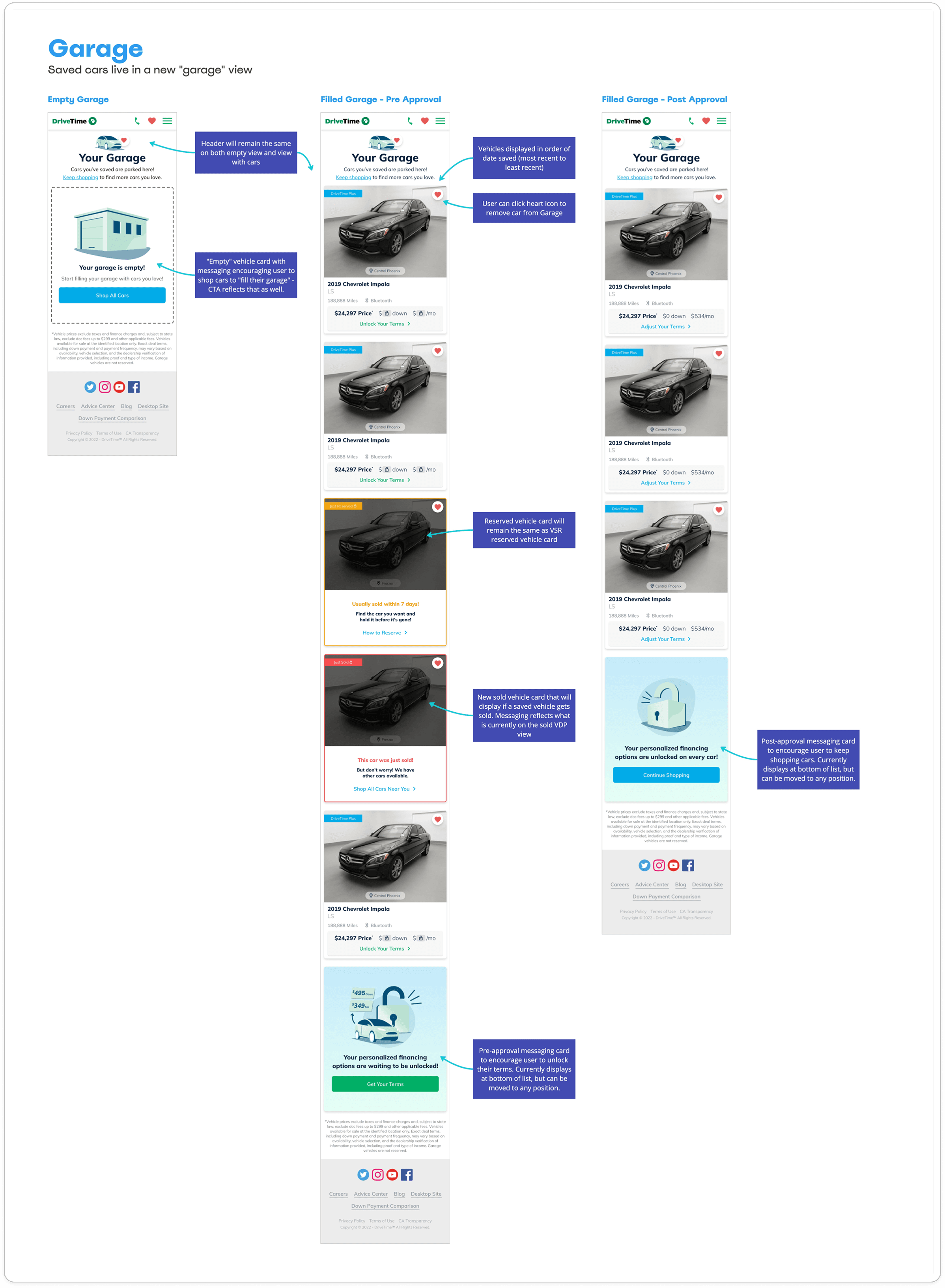
Adding the ability to save cars on DriveTime.com so customers can go back to their favorite finds.
DriveTime • 2022

Project Overview
Role
UX/UI Design
Team
1 UX manager, 1 product analyst, 1 UX designer, 1 content specialist, 1 graphic designer
Tools
Adobe XD, Miro, Zeplin
Challenge
When browsing cars on Drivetime.com, customers do not have a way to save which cars they liked and want to come back to.
Solution
Provide a visible and straightforward way for customers to save cars they are interested in.
Project Background
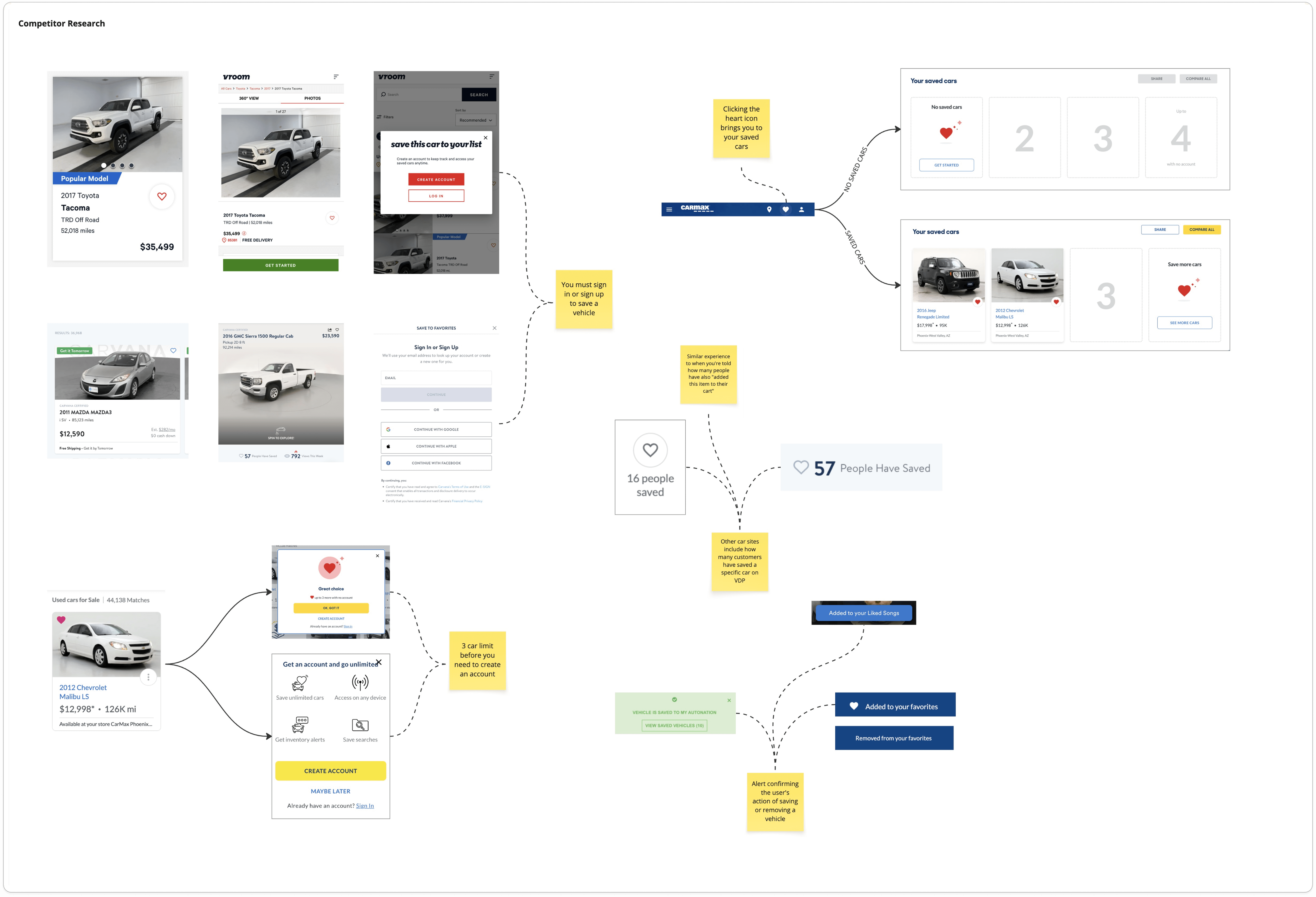
Many of DriveTime’s competitors and e-commerce experiences offer a way for users to save items, typically through a bookmark or heart icon. At the time, DriveTime lacked this functionality. Users could browse a large inventory of vehicles but had no way to save options they were interested in and return to them later.
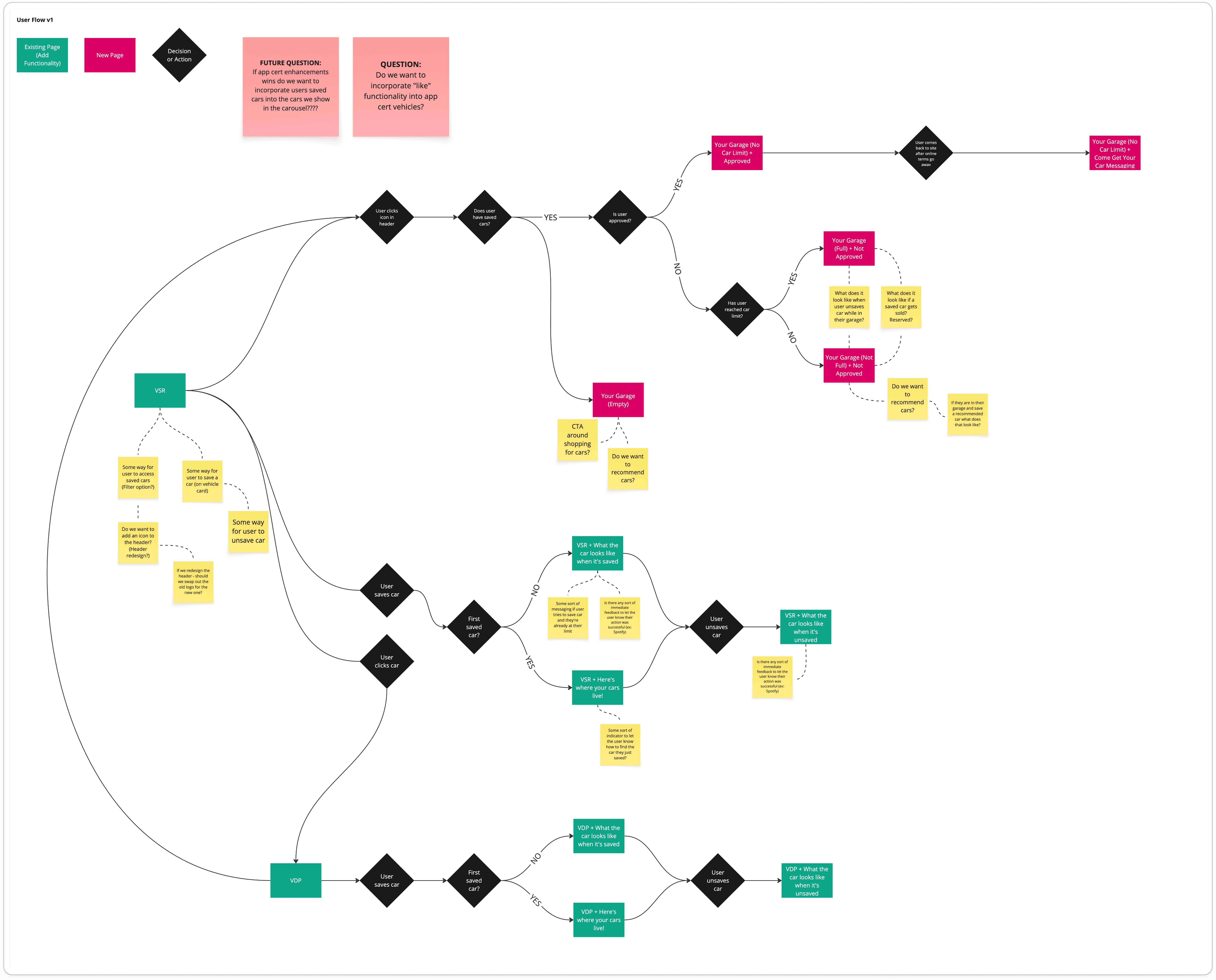
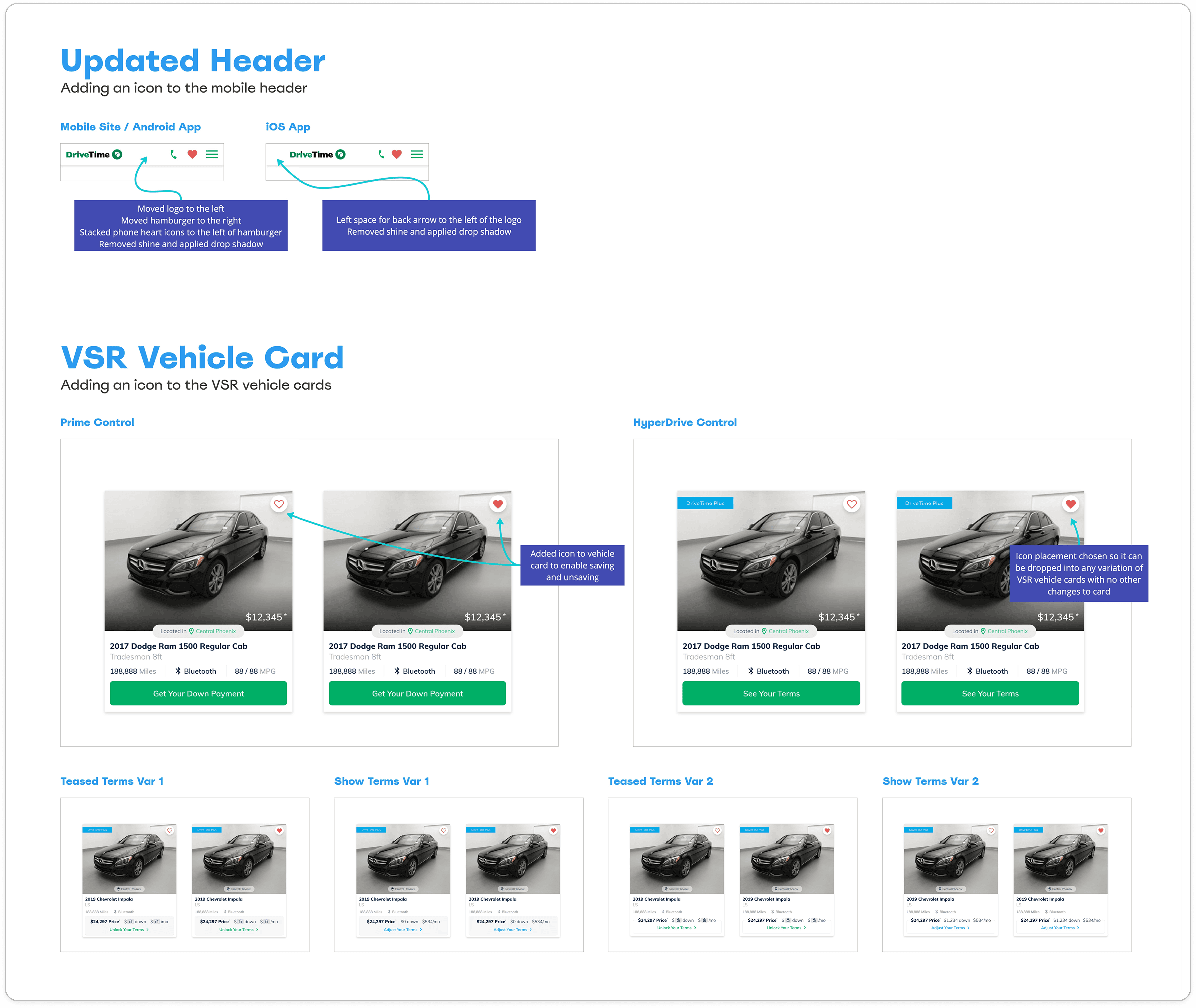
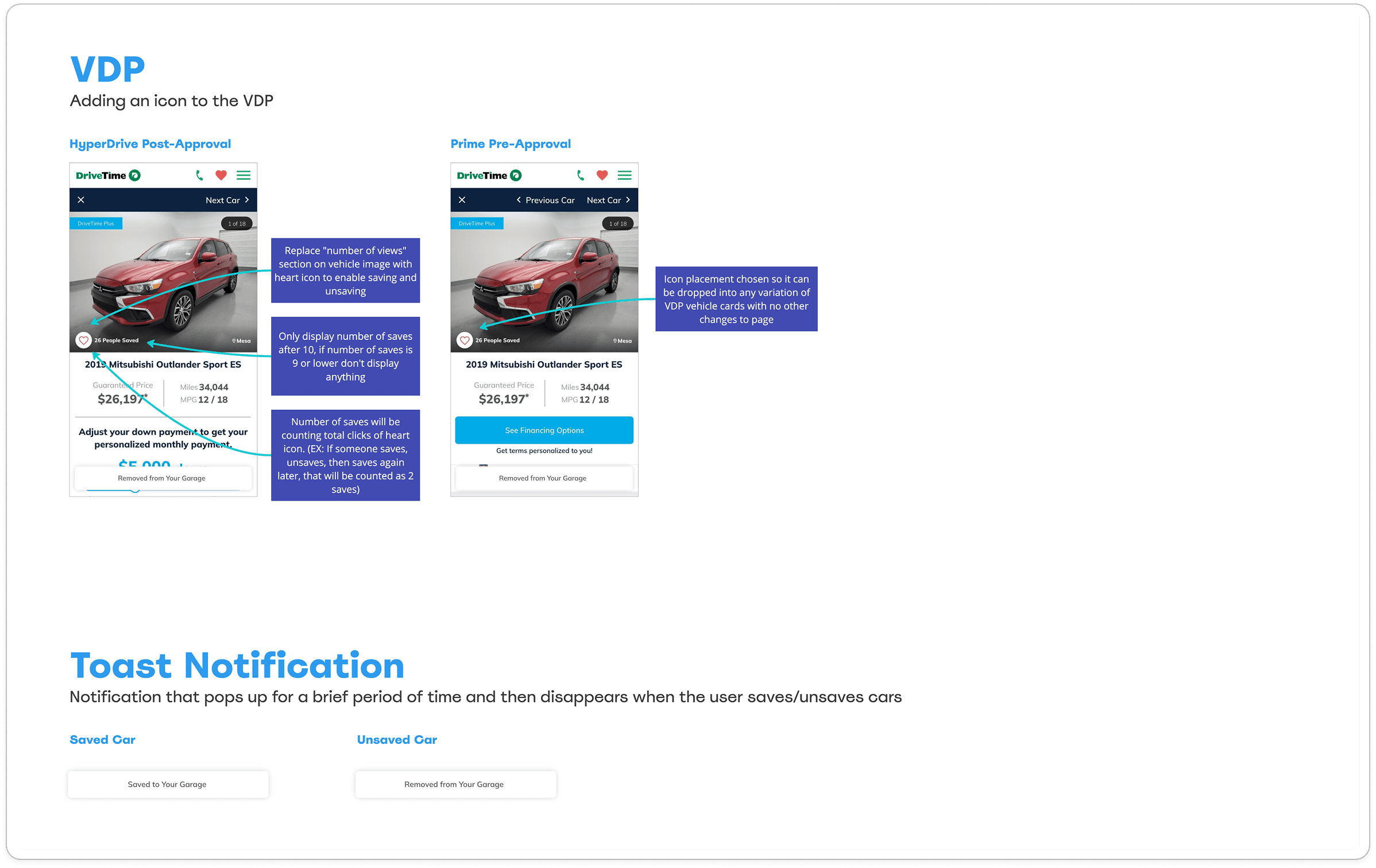
To address this, we launched an experiment introducing a “Save Cars” feature on the Vehicle Search Results (VSR) page. The goal was to improve the shopping experience by making it more interactive, while also capturing data on customer interest by vehicle type. The initial rollout focused on mobile, with plans to expand to tablet and desktop if the feature proved successful.
Our hypothesis:
By providing a way for customers to save the cars they are interested in, we will:
Increase repeat views of a VDP within a session
Increase customers sending their terms to the dealership
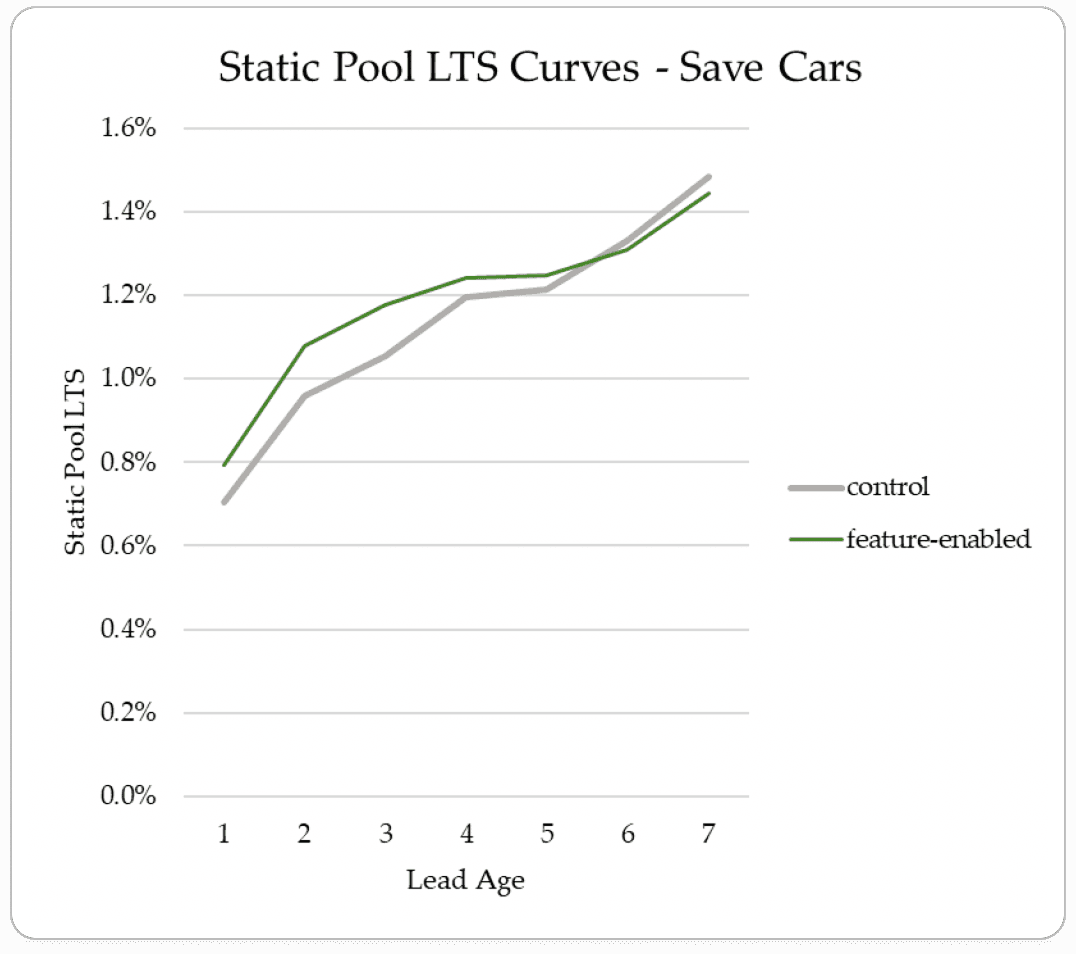
Increase session to lead (for pre-GA2)
Ultimately increase session to sale (STS)
 rotate(-45 7 7)" width="14px"><path d="M 0 0.068 L 12.725 0" fill="transparent" height="1px" id="nWTC0FqqR" stroke-dasharray="" stroke-linecap="round" stroke-linejoin="round" stroke-width="2" stroke="rgb(248, 246, 243)" transform="translate(0 6.932)" width="12.725033351867122px"/><path d="M 0 0 L 7 7 L 0 14" fill="transparent" height="13.999959999999998px" id="f9BjJxgMG" stroke-dasharray="" stroke-linecap="round" stroke-linejoin="round" stroke-width="2" stroke="rgb(248, 246, 243)" transform="translate(7 0)" width="7px"/></g></svg>)